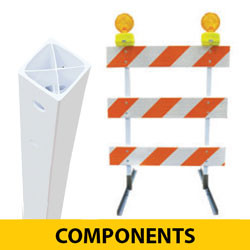

Plastic Power Barricade Upright Post
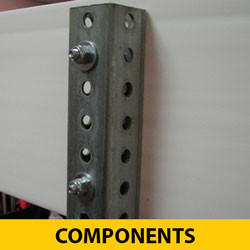
The Plastic Power Barricade Upright Post has predrilled holes for lights.
- PRODUCT ID: RSPB3ZBUZPPU
- Height: 63" H
- Size: 1.75" tube
- Material: Plastic
- Holes are pre-drilled for type III boards and flashing light.
- Plastic uprights posts save you time and money! - Easier to handle - set up and break down goes faster
- Lightweight but strong - 67% lighter than steel square tube posts - impact resistant
- No rust or corrosion
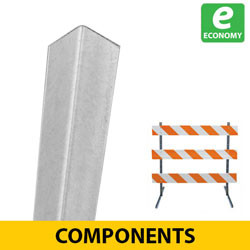
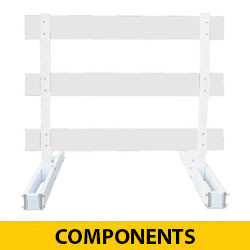
- Use with Telespar or Angle Iron feet
- Quick removal of uprights from feet - allows for short term or permanent placement
- Easy to assemble and replace parts if necessary
- NCHRP-350/MASH Accepted, Meets MUTCD Standards
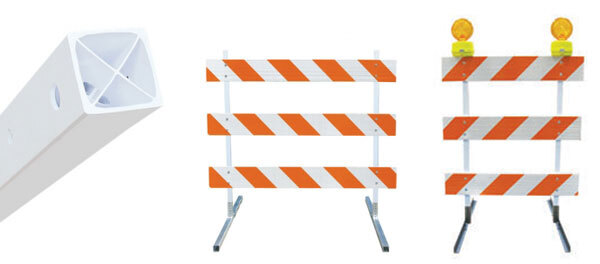
About Barricades
A barricade is a portable or fixed device having from one to three rails with appropriate marking and is used to control road users by closing, restricting, or delineating all or a portion of the right-of-way. Refer to the MUTCD for more information.
- Type 1 Barricades may be used on conventional roads or urban streets.
- Type 2 Barricades should be used on freeways and expressways or other high-speed roadways.
- Type 3 Barricades should be used to close or partially close a road.
- Red/White Stripes: When barricades are used to warn road users of the end of a roadway, the stripes shall be red and white.
- Sign Placement: Signs mounted on barricades and barricade/sign combinations shall be crashworthy.
About Barricade Stripes
The MUTCD (Manual for Traffic Control Devices) specifies sizes and color combos for Barricade Boards and Vertical Panels. Refer to the MUTCD for more information.
- 4" Stripes: boards/panels that are 8-12" x 24" and smaller shall have 4" Stripes
- 6" Stripes: boards/panels that are 8-12" x 36" and larger shall have 6" Stripes
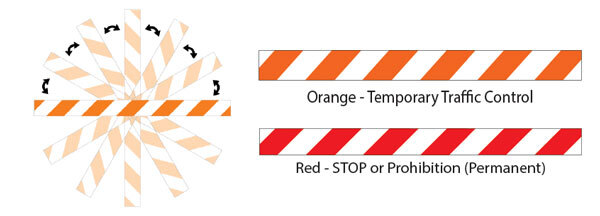
- Red/White Stripes: STOP or Prohibition (Permanent)
- Orange/White Stripes: indicate Temporary Traffic Control
- NOTE: Barricade sheeting can NOT be rotated for use as both "left" and "right". There is a common misconception that "ALL" striped goods can be used for both "right" and "left" options by simply rotating them 180 degrees. Shown Below: Rotate the "right" object marker -or- barricade board and it remains a "right".